Short answer: network configuration management (NCM) tools automatically back up the configurations of your routers, switches and firewalls, detect and show changes, check devices against compliance rules, and push changes safely, with rollback. Popular options include commercial suites such as SolarWinds Network Configuration Manager and ManageEngine Network Configuration Manager, open-source tools such as Oxidized and RANCID, and automation frameworks such as Ansible, often paired with NetBox as a source of truth.
Small teams can start with free backup and change-alert tools; larger or regulated networks usually need compliance reporting, role-based access and automated, approved changes.
I will be honest with you: most network outages I have seen discussed by engineers do not start with failed hardware. They start with a change: a mistyped access list, a VLAN removed from the wrong trunk, a config that worked in the lab and not in production. Network configuration management tools exist to make those changes visible, reversible and consistent. This guide explains what the tools do, compares the main options, and gives you a practical way to choose.
What network configuration management tools do
| Feature | What it does | Why it matters |
|---|---|---|
| Automated backups | Pulls configs from devices on a schedule or after each change | Recover from failures and mistakes quickly |
| Change detection and diffs | Compares versions line by line and alerts on changes | Spot unauthorised or accidental changes |
| Compliance checks | Tests configs against policies (passwords, SNMP, logging, standards) | Security and audit requirements |
| Change automation | Pushes templated changes to many devices at once | Consistency and speed |
| Rollback | Restores a previous known-good config | Shortens outages |
| Inventory and firmware | Tracks models, serials, OS versions and vulnerabilities | Planning and patching |
| Access control and audit trail | Who changed what, when, with approvals | Accountability |

The main tools compared
| Tool | Type | Best known for |
|---|---|---|
| SolarWinds Network Configuration Manager | Commercial | Backups, change alerts, compliance and vulnerability reports in a broad monitoring suite |
| ManageEngine Network Configuration Manager | Commercial | Multi-vendor backups, change management and compliance with a web interface |
| Cisco Catalyst Center (formerly DNA Center) | Commercial | Intent-based management for Cisco networks |
| Auvik | Commercial, cloud | Network discovery, monitoring and config backup, popular with IT service providers |
| Unimus | Commercial | Lightweight multi-vendor backup, change detection and mass config push |
| Oxidized | Open source | Config backup to Git with diffs; described by its authors as a RANCID replacement |
| RANCID | Open source | The long-standing config “differ” and backup tool |
| Ansible | Open source (Red Hat) | Automating config changes across many vendors with playbooks |
| NetBox | Open source | Source of truth for devices, IP addresses and intended state |
| Batfish | Open source | Analysing configs to predict the effect of changes before deployment |
Commercial suites vs open source
| Commercial NCM | Open source | |
|---|---|---|
| Cost | Licence fees, usually per device or node | Free software; you pay in staff time |
| Set-up | Installer, wizards, vendor support | Linux skills, Git, scripting |
| Compliance reports | Built in, often with templates | Usually built yourself |
| Flexibility | Within the product’s features | Very high; integrate anything |
| Best for | Teams wanting a supported, all-in-one tool | Teams with automation skills and a DevOps approach |
My advice: if you have nothing today, start with automated backups and change alerts this week, using any tool. That single step removes the worst risk, which is a dead or misconfigured device with no saved configuration. You can add compliance and automation later.
A modern workflow: source of truth, automation, verification
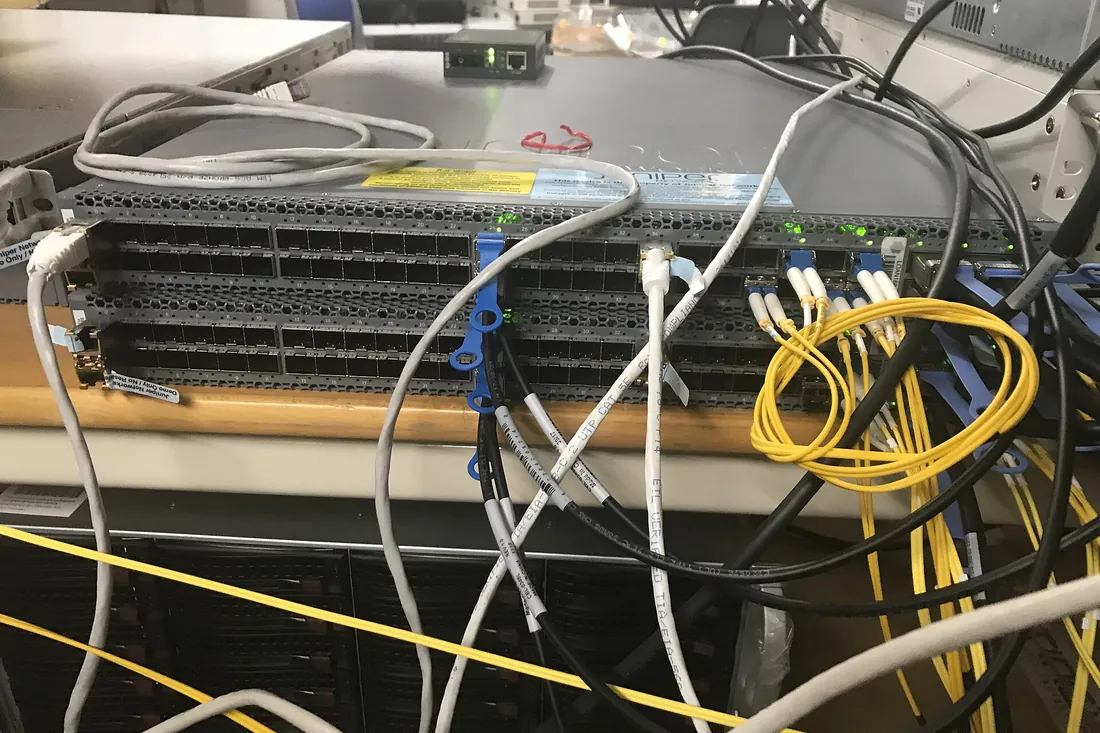
Configuration management ideas are not new in telecoms, where operators have long managed huge fleets of network elements. Our guide to configuration management in telecom covers how carriers approach it.
How to choose a network configuration management tool
| Question | Why it matters |
|---|---|
| Which vendors and OS versions do we run? | Check every device type is supported |
| How many devices, and how fast are we growing? | Licensing and performance |
| Do we need compliance reports (PCI DSS, HIPAA, internal standards)? | Built-in policies save time |
| Who will make changes, and with what approvals? | Role-based access and workflows |
| Do we have automation skills in-house? | Open source becomes much more attractive |
| On-premises or cloud? | Security policy and remote sites |
| How will it integrate with monitoring, ticketing and IPAM? | Avoid another silo |

Security: protect the tool that holds the keys
An NCM tool stores administrator credentials for, and sometimes full write access to, every network device you own. That makes it a high-value target. The 2020 SolarWinds Orion supply-chain attack, in which attackers inserted malicious code into a widely used IT management product, showed how damaging a compromised management platform can be. Whatever you choose:
- Use dedicated service accounts with the least privilege needed, ideally read-only for backups.
- Store credentials in a secrets vault and rotate them.
- Restrict network access to the management server, and use multi-factor authentication.
- Encrypt backups: configs can contain password hashes, keys and topology details.
- Keep the tool patched and monitor it like any critical system.
Getting started: a 30-day plan
- Week 1Inventory every network device and collect credentials securely.
- Week 2Set up automated daily backups and change alerts.
- Week 3Define a handful of compliance rules (NTP, logging, SNMP, banners, password policy) and run reports.
- Week 4Automate one routine, low-risk change, with review and rollback tested.
More business explainers: how ATM processing works, how to start an ATM business, the ISO 8583 message format, machine shop cost estimating, CNC machining cost per hour, configuration management in telecom.
Frequently asked questions
What is network configuration management?
The practice of backing up, tracking, standardising and changing the configurations of network devices such as routers, switches and firewalls.
What are the best network configuration management tools?
Common choices include SolarWinds NCM and ManageEngine NCM (commercial), Oxidized and RANCID (open-source backup), Ansible for automation and NetBox as a source of truth.
Is there a free network configuration management tool?
Yes. Oxidized, RANCID, Ansible, NetBox and Batfish are open source, though they need technical skills to set up.
What is the difference between NCM and network monitoring?
Monitoring watches performance and availability; configuration management tracks and controls how devices are set up. Many suites do both.
What is configuration drift?
When a device’s actual configuration gradually differs from the intended standard, usually through manual changes. NCM tools detect it.
Can Ansible replace an NCM tool?
Ansible is excellent for automating changes, but you will usually still want dedicated backups, change detection and compliance reporting.
What is Oxidized?
An open-source tool that backs up network device configurations, typically into Git, so you can see changes over time.
What is NetBox used for?
Documenting the network as a source of truth: devices, racks, IP addresses, VLANs and circuits, which automation can then use.
How often should network configs be backed up?
At least daily, and ideally after every change, which many tools trigger automatically.
Why is network configuration management important for security?
It detects unauthorised changes, enforces secure settings and speeds recovery after incidents.
Final thoughts
Network configuration management tools turn device configs from fragile, hand-edited files into backed-up, reviewed and auditable assets. Start with automated backups and change alerts, add compliance checks, then automate routine changes, choosing commercial or open-source tools to match your team’s skills and scale.
Sources: Vendor and project documentation for SolarWinds Network Configuration Manager, ManageEngine Network Configuration Manager, Cisco Catalyst Center, Auvik, Unimus, Oxidized, RANCID, Ansible, NetBox and Batfish; US CISA and public reporting on the 2020 SolarWinds Orion supply-chain compromise. Images: Wikimedia Commons, credited in each caption.