Short answer: ISO 8583 is the international standard for the messages that card payments and ATM withdrawals send between terminals, processors, card networks and banks. Every message has three parts: a 4-digit Message Type Indicator (MTI) such as 0200 (financial request) or 0210 (response), one or more bitmaps that say which fields are present, and the data elements themselves: card number, amount, response code and so on, up to 128 fields in the common versions.
There are three main versions (1987, 1993 and 2003), and the 1987 version is still the most widely used. In practice, each card network and processor publishes its own “dialect”, so you always work from a specific specification as well as the standard.
I will be honest with you: ISO 8583 looks intimidating the first time you see a raw message, a long string of digits and hex with no labels at all. Once you understand the three building blocks, though, it becomes surprisingly logical. This guide walks through the structure, decodes a real-world-style ATM withdrawal message bit by bit, and lists the fields and response codes you will meet most often.
Where ISO 8583 fits
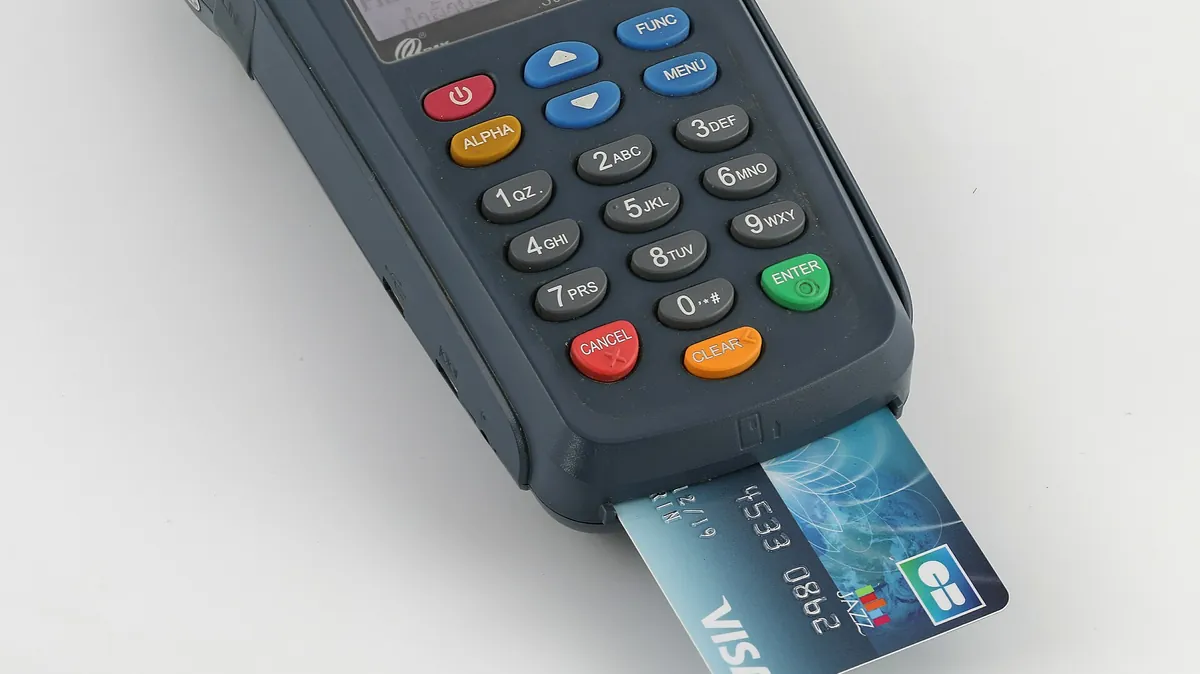
When you tap a card in a shop or ask an ATM for cash, the terminal sends an authorisation request to the acquirer or processor, which forwards it across a card network to the bank that issued your card. The bank replies with approve or decline. In most card systems, the messages on those links are ISO 8583 or a network-specific version of it. Our guide to how ATM processing works explains that chain in plain English; this article zooms into the messages themselves.

| Version | MTI first digit | Notes |
|---|---|---|
| ISO 8583:1987 | 0 | The original and still the most widely implemented |
| ISO 8583:1993 | 1 | Revised fields and message classes |
| ISO 8583:2003 | 2 | Further revision; less common in practice |
| National / private use | 8 or 9 | Reserved for national and private variants |
The three parts of every message
Many systems also put a length header (often 2 bytes) and sometimes a network header before the MTI, so the receiver knows where one message ends and the next begins. That framing is defined by the network or processor, not by ISO 8583 itself.
Decoding the MTI
| Position | Meaning | Common values |
|---|---|---|
| 1st digit | Version | 0 = 1987, 1 = 1993, 2 = 2003 |
| 2nd digit | Message class | 1 authorisation, 2 financial, 3 file actions, 4 reversal/chargeback, 5 reconciliation, 6 administrative, 8 network management |
| 3rd digit | Function | 0 request, 1 request response, 2 advice, 3 advice response, 4 notification |
| 4th digit | Origin | 0 acquirer, 1 acquirer repeat, 2 issuer, 3 issuer repeat |
| MTI | Name | Typical use |
|---|---|---|
| 0100 / 0110 | Authorisation request / response | Card purchases where the amount is held, then cleared later |
| 0200 / 0210 | Financial request / response | ATM withdrawals and debit purchases that move money at once |
| 0400 / 0410 | Reversal request / response | Undo a transaction, e.g. the ATM failed to dispense |
| 0420 / 0430 | Reversal advice / response | Notify that a reversal has happened |
| 0800 / 0810 | Network management request / response | Sign-on, sign-off, echo tests, key exchange |
How the bitmap works
The bitmap is the clever part. Instead of labelling each field, the sender sets a bit for every field that is present. Bit 1 is the leftmost bit of the first byte; if it is set, a second 64-bit bitmap follows, covering fields 65 to 128. Each hex character represents four bits.
Here is a worked example. Suppose a message contains fields 2, 3, 4, 7, 11, 12, 13, 22, 35, 41, 49 and 52, a typical set for an ATM withdrawal:
| Byte | Fields covered | Fields present | Hex |
|---|---|---|---|
| 1 | 1-8 | 2, 3, 4, 7 | 72 |
| 2 | 9-16 | 11, 12, 13 | 38 |
| 3 | 17-24 | 22 | 04 |
| 4 | 25-32 | none | 00 |
| 5 | 33-40 | 35 | 20 |
| 6 | 41-48 | 41 | 80 |
| 7 | 49-56 | 49, 52 | 90 |
| 8 | 57-64 | none | 00 |
Primary bitmap: 72 38 04 00 20 80 90 00
As hex text:    7238040020809000

Byte 1 = 0x72 = 0111 0010
               ^^^^ ^^^^
         bit:  1234 5678  -> bits 2, 3, 4 and 7 are on
My advice: when you are learning, decode a few bitmaps by hand like this. Once you have done it two or three times, reading a raw message log becomes much less mysterious, and you will spot “missing field” errors instantly.
The data elements you will see most
| Field | Name | Format (1987) |
|---|---|---|
| DE 2 | Primary account number (PAN) | n..19, variable (LLVAR) |
| DE 3 | Processing code | n6, e.g. 01 = cash withdrawal, 31 = balance inquiry |
| DE 4 | Transaction amount | n12, in minor units (cents) |
| DE 7 | Transmission date and time | n10, MMDDhhmmss (GMT) |
| DE 11 | System trace audit number (STAN) | n6, unique per message from the sender |
| DE 12 / 13 | Local transaction time / date | n6 hhmmss / n4 MMDD |
| DE 22 | Point-of-service entry mode | n3, e.g. chip, magnetic stripe, contactless |
| DE 35 | Track 2 data | z..37, variable |
| DE 37 | Retrieval reference number | an12 |
| DE 38 | Authorisation ID response | an6, the approval code |
| DE 39 | Response code | an2, e.g. 00 = approved |
| DE 41 / 42 | Terminal ID / card acceptor ID | ans8 / ans15 |
| DE 43 | Card acceptor name and location | ans40 |
| DE 49 | Transaction currency code | n3, ISO 4217 (840 = US dollar) |
| DE 52 | PIN data | b64, the encrypted PIN block |
| DE 55 | ICC (EMV chip) data | b…255, variable (LLLVAR) |
| DE 64 / 128 | Message authentication code (MAC) | b64 |
| DE 70 | Network management information code | n3, e.g. 001 sign-on, 301 echo test |
| DE 90 | Original data elements | n42, used in reversals |
Field formats in brief
| Code | Meaning |
|---|---|
| n | Numeric digits only |
| a / an / ans | Alphabetic / alphanumeric / alphanumeric plus special characters |
| b | Binary data (the number is bits, e.g. b64 = 8 bytes) |
| z | Track 2 or Track 3 magnetic stripe data |
| LLVAR / LLLVAR | Variable length, with a 2- or 3-digit length prefix |
Worked example: an ATM withdrawal
Here is a simplified 0200 request for a $100 withdrawal from a checking account, followed by the bank’s approval. The card number is a test value and the PIN block is shown as a placeholder.
MTI     0200                     Financial request
Bitmap  7238040020809000
DE 2    16 4111111111111111      PAN (length 16, test number)
DE 3    012000                   01 cash withdrawal, 20 from checking
DE 4    000000010000             $100.00 (in cents)
DE 7    1126143005               26 Nov, 14:30:05 GMT
DE 11   000123                   Trace number
DE 12   093005                   Local time 09:30:05
DE 13   1126                     Local date 26 Nov
DE 22   051                      Chip read, PIN entered
DE 35   ...                      Track 2 equivalent data
DE 41   ATM00042                 Terminal ID
DE 49   840                      US dollars
DE 52   [8-byte encrypted PIN block]
MTI 0210 Financial response
DE 3 012000
DE 4 000000010000
DE 11 000123 Same trace number
DE 38 A1B2C3 Approval code
DE 39 00 Approved
DE 41 ATM00042If the ATM then failed to dispense the notes, it would send a 0420 reversal advice, with field 90 carrying the original MTI, trace number and date and time, so the issuer can release the funds.
Common response codes (field 39)
| Code | Meaning | Code | Meaning |
|---|---|---|---|
| 00 | Approved | 51 | Insufficient funds |
| 05 | Do not honour | 54 | Expired card |
| 12 | Invalid transaction | 55 | Incorrect PIN |
| 13 | Invalid amount | 61 | Exceeds withdrawal limit |
| 14 | Invalid card number | 75 | PIN tries exceeded |
| 41 / 43 | Lost / stolen card | 91 | Issuer unavailable |
Network management and security
Not every message is a payment. 0800 network management messages let systems sign on and off, send regular “echo tests” to check that a link is alive, and exchange encryption keys. Security is built in at several levels: the PIN travels only as an encrypted PIN block in field 52, chip cards add a one-time cryptogram in field 55, and many links add a message authentication code in field 64 or 128 so the receiver can detect tampering. The connection itself is usually protected too.
ISO 8583 vs ISO 20022
| ISO 8583 | ISO 20022 | |
|---|---|---|
| Main use | Card authorisations and ATM transactions | Bank payments, transfers and securities messaging |
| Format | Compact bitmap and positional fields | Rich XML (or JSON) messages |
| Strength | Fast, small, deeply embedded in card systems | Detailed structured data |
| Today | Still dominant in card processing | Spreading across payment systems |
Tips for developers
- Start from the network’s spec, not just the ISO standard: lengths, encodings and mandatory fields differ.
- Use a proven library (for example the open-source jPOS project in Java) rather than writing a parser from scratch.
- Log safely: never write full card numbers, track data or PIN blocks to logs; mask them.
- Test with a simulator and the network’s certification scripts before going live.
- Handle timeouts and reversals carefully: a lost response is the classic source of double charges.
More business explainers: how ATM processing works, how to start an ATM business, machine shop cost estimating, configuration management in telecom.
Frequently asked questions
What is ISO 8583?
An international standard for card-originated financial messages, used for card payments and ATM transactions between terminals, processors, networks and banks.
What is an MTI in ISO 8583?
The Message Type Indicator: four digits giving the version, message class, function and origin, such as 0200 for a financial request.
What is the bitmap in ISO 8583?
A 64-bit field in which each bit shows whether a data element is present. If bit 1 is set, a secondary bitmap covers fields 65-128.
What is the difference between 0100 and 0200 messages?
0100 is an authorisation request (funds held, settled later); 0200 is a financial request that moves money immediately, typical for ATM withdrawals.
What does response code 00 mean?
Approved. Other common codes include 05 (do not honour), 51 (insufficient funds) and 55 (incorrect PIN).
What is field 55 in ISO 8583?
The ICC data field, carrying EMV chip data such as the cryptogram for the transaction.
Which ISO 8583 version is used most?
The 1987 version (MTIs starting with 0) remains the most widely implemented, usually adapted by each network.
What is an 0800 message?
A network management request, used for sign-on, sign-off, echo tests and key exchange.
Is ISO 8583 being replaced by ISO 20022?
ISO 20022 is spreading across payment systems, but ISO 8583 is still dominant for card authorisations.
How do I parse ISO 8583 messages?
Use the specification for your network and a tested library such as jPOS, and validate against sample messages and simulators.
Final thoughts
ISO 8583 comes down to three parts: an MTI that names the message, a bitmap that lists the fields, and the data elements that carry the details. Learn to read those, keep your network’s specification open, and the long strings of digits behind every card payment become easy to follow.
Sources: ISO 8583 financial transaction card originated messages, interchange message specifications (1987, 1993 and 2003 editions); published card-network and processor message specifications; the jPOS open-source project documentation; ISO 4217 currency codes. Images: Wikimedia Commons, credited in each caption.